 刘世明的博客
Table of Contents
问题描述
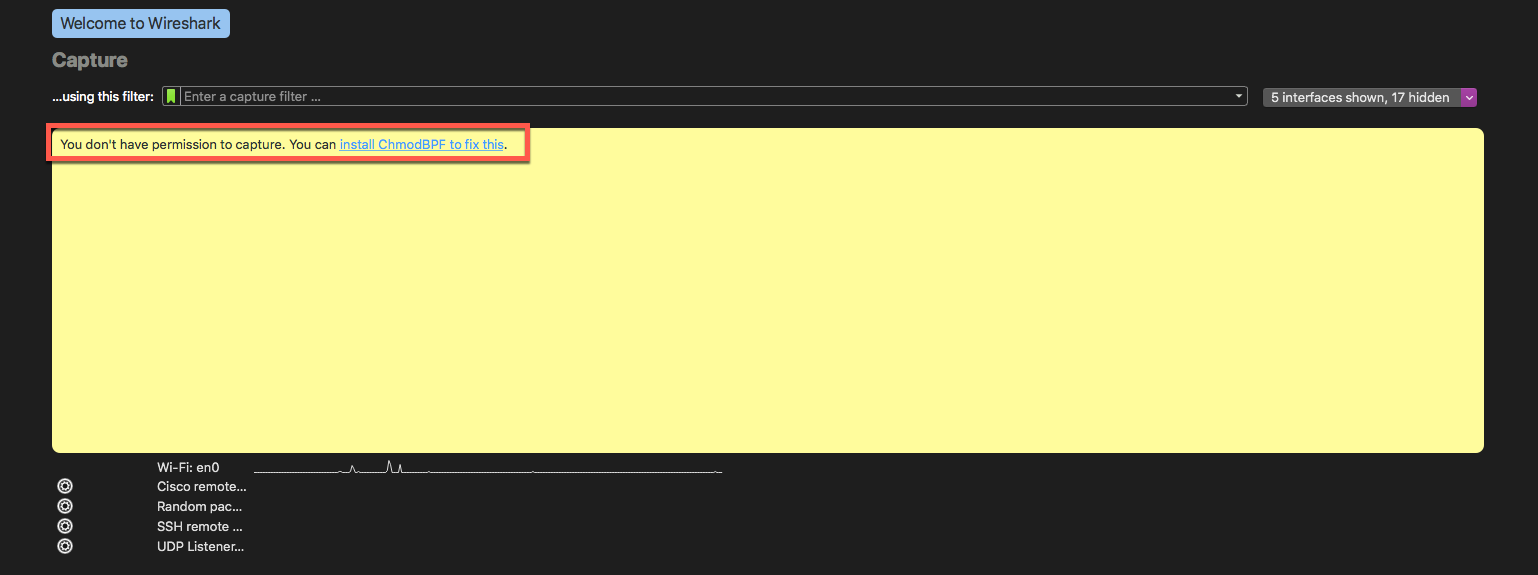
Wireshark 安装后界面有一个提示:you don’t have permission to capture ,即无权限监控网络
版本信息
MacOS 版本:10.15.4
Wireshark 版本: v3.2.3
解决办法
第一步
按照提示先把 ChmodBPF 安装了
第二步
重启 Wireshark 试下有没有效果
第三步
如果没有效果,运行下面的命令,将当前用户加入到access_bpf用户组中去
sudo dseditgroup -o edit -a `whoami` -t user access_bpf
重启 Wireshark,应该没问题了








Thanks for sharing. I read many of your blog posts, cool, your blog is very good. https://www.binance.info/en-ZA/register?ref=B4EPR6J0
Your point of view caught my eye and was very interesting. Thanks. I have a question for you.
Thanks for sharing. I read many of your blog posts, cool, your blog is very good.